
We’ve scaled dozens of brands from seven to nine figures. Want to know what kills momentum faster than anything else? Inventory fragmentation.
When Shopify and Amazon aren’t in sync, you’re risking oversells, listing suppressions, angry customers, and Amazon penalties that can nuke your account.
The best thing to do? Make them talk to each other.
This article will show you how.
Why Does Syncing Across Marketplaces Matter?
First off, Amazon will suspend you.
Sell something on Amazon that’s already gone on Shopify? Your Pre-fulfillment Cancel Rate spikes. Do it too often, and you’re done. That’s according to Amazon itself.
Also, you’re wasting cash. Synced inventory means you need less buffer stock, which means more money for ads and other operational costs.
Finally, customers notice. Order cancellation emails destroy trust, while consistency builds brands. Be that brand that does things the right way.
How to Sync Shopify and Amazon Inventory?
There are a few methods you can use to solve this.
We’ll guide you through each.
Method 1: Shopify Marketplace Connect (Start Here)
Two years ago, connecting these platforms meant expensive middleware.
Then Shopify acquired Codisto and turned it into Marketplace Connect. Game changer.
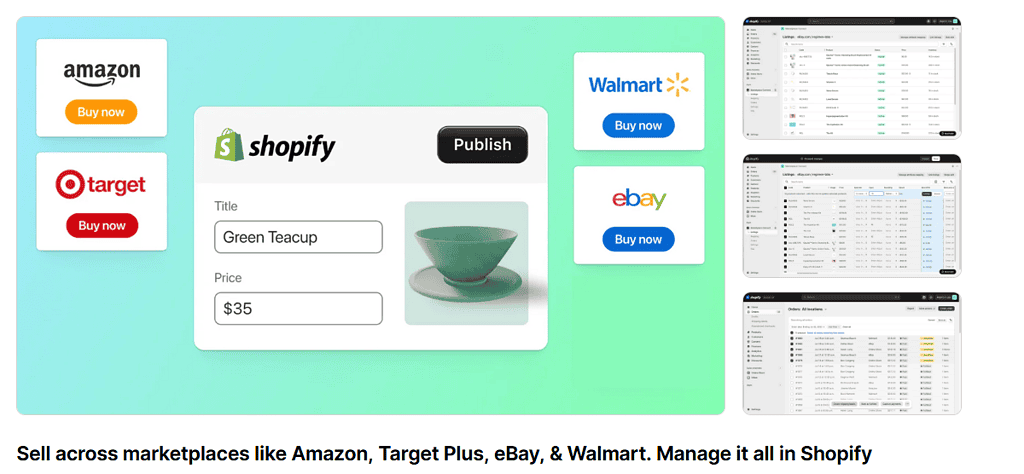
Why it can be your default:
- Manage Amazon listings, orders, and inventory directly in Shopify
- One dashboard. No tab-switching insanity.
- Cost-effective and actually works.
How to set it up:
- Install Marketplace Connect from the Shopify app store.
- Connect your Amazon Professional Seller account (Individual accounts won’t work so upgrade if needed)
- Map your Shopify SKUs to Amazon ASINs (this is critical—more on SKUs below)
- Set inventory buffers (the secret sauce).
The buffer trick: Don’t sync 1:1. Tell the app: “When Shopify hits 5 units, show Amazon 0.” This protects you during flash sales when orders pile up faster than the API can update.
Best for: Brands that want everything in one place without the enterprise price tag.
Method 2: Amazon MCF (Multi-Channel Fulfillment)
If you’re using FBA to store inventory, why not use it to fulfill your Shopify orders too?
Amazon MCF turns Amazon into your 3PL.
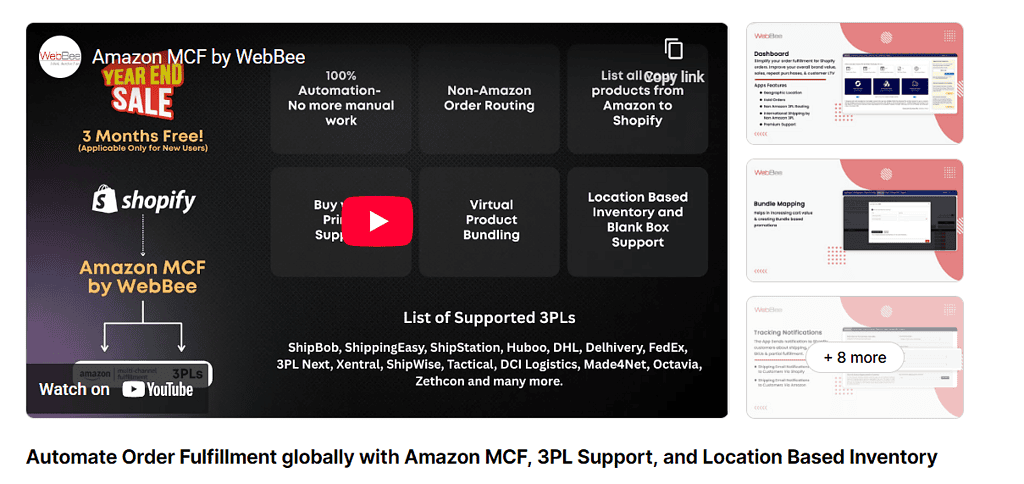
Customer buys on Shopify → order goes to Amazon warehouse → Amazon ships it in unbranded packaging. Two birds, one stone.
Setup:
- Install the official Amazon MCF app for Shopify
- Match your Shopify and Amazon FBA SKUs exactly.
- Enable real-time sync (inventory updates every few minutes)
- Configure shipping rates to match Amazon’s pricing
Why we love it: You can offer Prime-speed shipping on your own site, which crushes conversion rates. Plus, instant global expansion without opening new warehouses.
Best for: Brands scaling internationally or wanting faster fulfillment without 3PL contracts.
Method 3: Enterprise Middleware
Native apps handle 90% of use cases. But if you’re doing $20M+ ARR with complex operations, you might need the big guns.
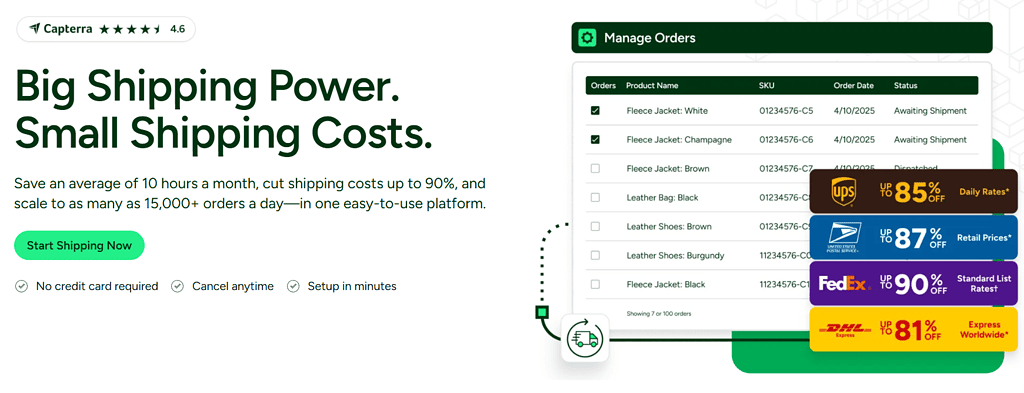
Some of the most popular middleware tools are ShipStation, Linnworks, and Extensiv (formerly known as Skubana). Use these when you have:
- Multiple warehouses (FBA + 3PL + your garage)
- Complex bundling (Shopify “Starter Kit” = 3 separate Amazon SKUs)
- B2B wholesale channels (Target, Walmart, etc.)
The 3 Mistakes That Break Everything
Pay close attention to these three bottlenecks that will prevent you from pulling your hair out.
1. SKU Mismatches
Your Shopify SKU is RED-WIDGET-01. Your Amazon SKU is red_widget_1. The apps see these as different products. Sync fails.
Fix it: Do a data audit before connecting. Export both product lists. Use the VLOOKUP function in your Sheet to confirm every SKU is identical. Zero exceptions.
2. “Ghost” Inventory
Amazon reserves inventory for pending orders and warehouse transfers.
If your app pulls “Total Inventory” instead of “Available Inventory,” you’ll oversell products that are on a truck somewhere.
Fix it: Always sync to “Available” counts only.
3. Promotion Overload
Running a viral TikTok campaign? API updates take 5–15 minutes. That’s enough time for 100 people to buy your last 10 items. Sounds great but it can cause a lot of trouble and dissatisfied customers.
Fix it: Increase buffers before promotions or temporarily pause sync during peak traffic. We’ve explained how to do this at the beginning of the article, so look it up.
Your Shopify <> Amazon Syncing Checklist
Now that you’ve picked your method and are familiar with the mistakes, it’s time to actually do the thing.
Here’s how we recommend doing it week-by-week:
Week 1: Audit Export your Shopify product list and Amazon inventory report. Match every single SKU. Fix inconsistencies now, not after you’ve oversold 200 units.
Week 2: Install
- Want to manage Amazon from Shopify? → Marketplace Connect
- Want Amazon to fulfill Shopify orders? → Amazon MCF
- Need both? Most of our clients use both.
Week 3: Test Connect one low-volume product. Manually change inventory on Amazon. Watch how long it takes to update on Shopify. Once you trust the sync, roll out your full catalog.
BOX: If you’re unsure of which method is the best for you, or are afraid you might break something (chances are you won’t), reach out to Jack, our CEO for a free consultation.
Ready, Sync, Go
Synced inventory is the difference between the “spreadsheet era” and the “automation era.”
Clean data lets you market aggressively. Aggressive marketing is where growth actually happens.
The tools are better than ever. Stop juggling inventory across two platforms like it’s 2018.





0 Comments